ClientCraft.VisualBuilder.Umbraco
0.1.0-beta.1
See the version list below for details.
dotnet add package ClientCraft.VisualBuilder.Umbraco --version 0.1.0-beta.1
NuGet\Install-Package ClientCraft.VisualBuilder.Umbraco -Version 0.1.0-beta.1
<PackageReference Include="ClientCraft.VisualBuilder.Umbraco" Version="0.1.0-beta.1" />
<PackageVersion Include="ClientCraft.VisualBuilder.Umbraco" Version="0.1.0-beta.1" />
<PackageReference Include="ClientCraft.VisualBuilder.Umbraco" />
paket add ClientCraft.VisualBuilder.Umbraco --version 0.1.0-beta.1
#r "nuget: ClientCraft.VisualBuilder.Umbraco, 0.1.0-beta.1"
#:package ClientCraft.VisualBuilder.Umbraco@0.1.0-beta.1
#addin nuget:?package=ClientCraft.VisualBuilder.Umbraco&version=0.1.0-beta.1&prerelease
#tool nuget:?package=ClientCraft.VisualBuilder.Umbraco&version=0.1.0-beta.1&prerelease
Client Craft Visual Builder for Umbraco
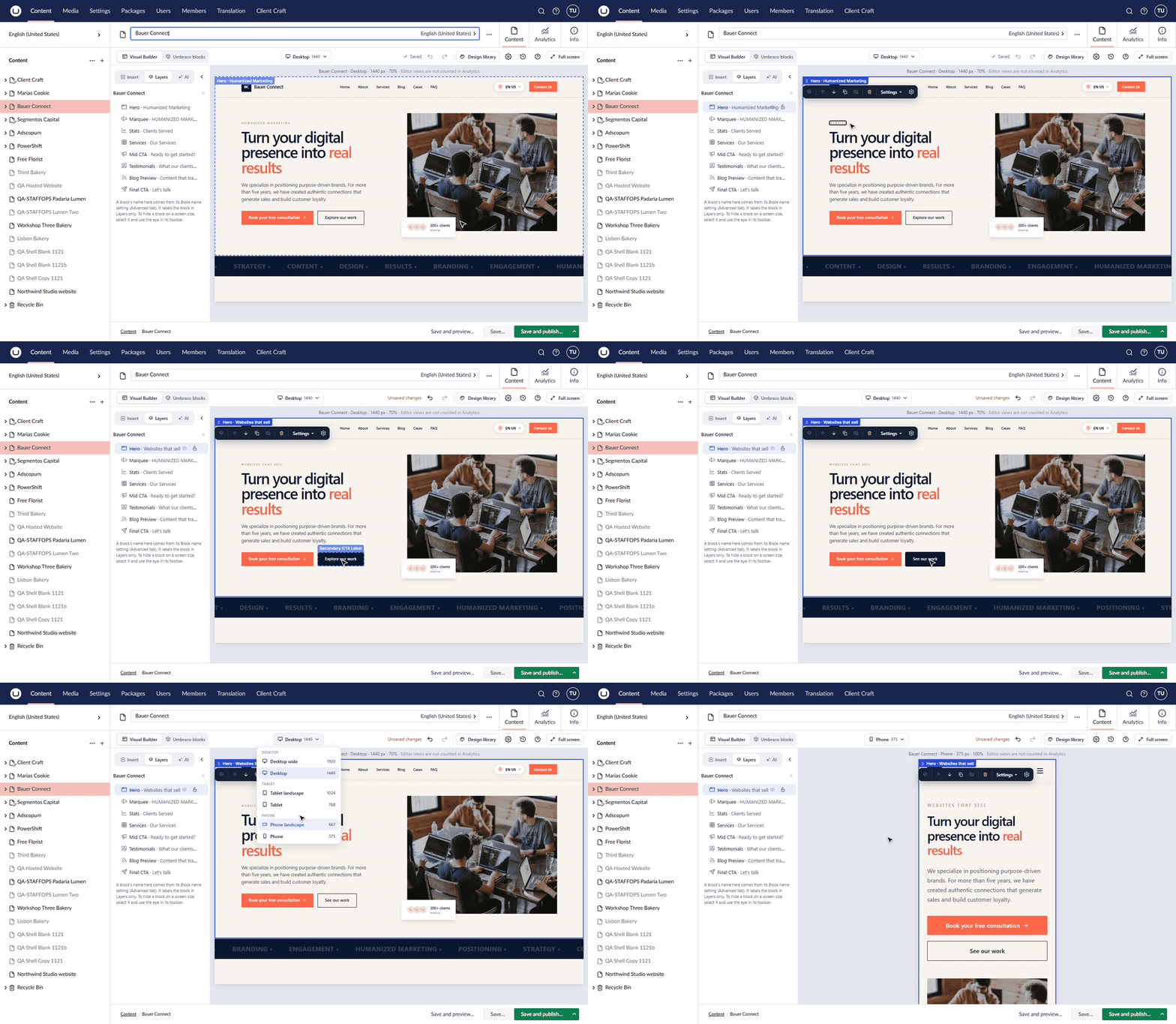
Edit your Umbraco pages the way they look. Click any block on the real page, change it, move it, style it for every screen size, and press Umbraco's own Save. No new document types, no content migration, no lock-in: your blocks, your templates, your data.
Beta. The Visual Builder is in beta (
0.1.0-beta.x). It runs on real sites and we want your feedback: tell us what works, what breaks and what you miss in GitHub issues.
Why editors love it
- The page is the editor. Your site renders with its own templates, CSS and scripts inside the editor. What editors see is what visitors get, not a block preview.
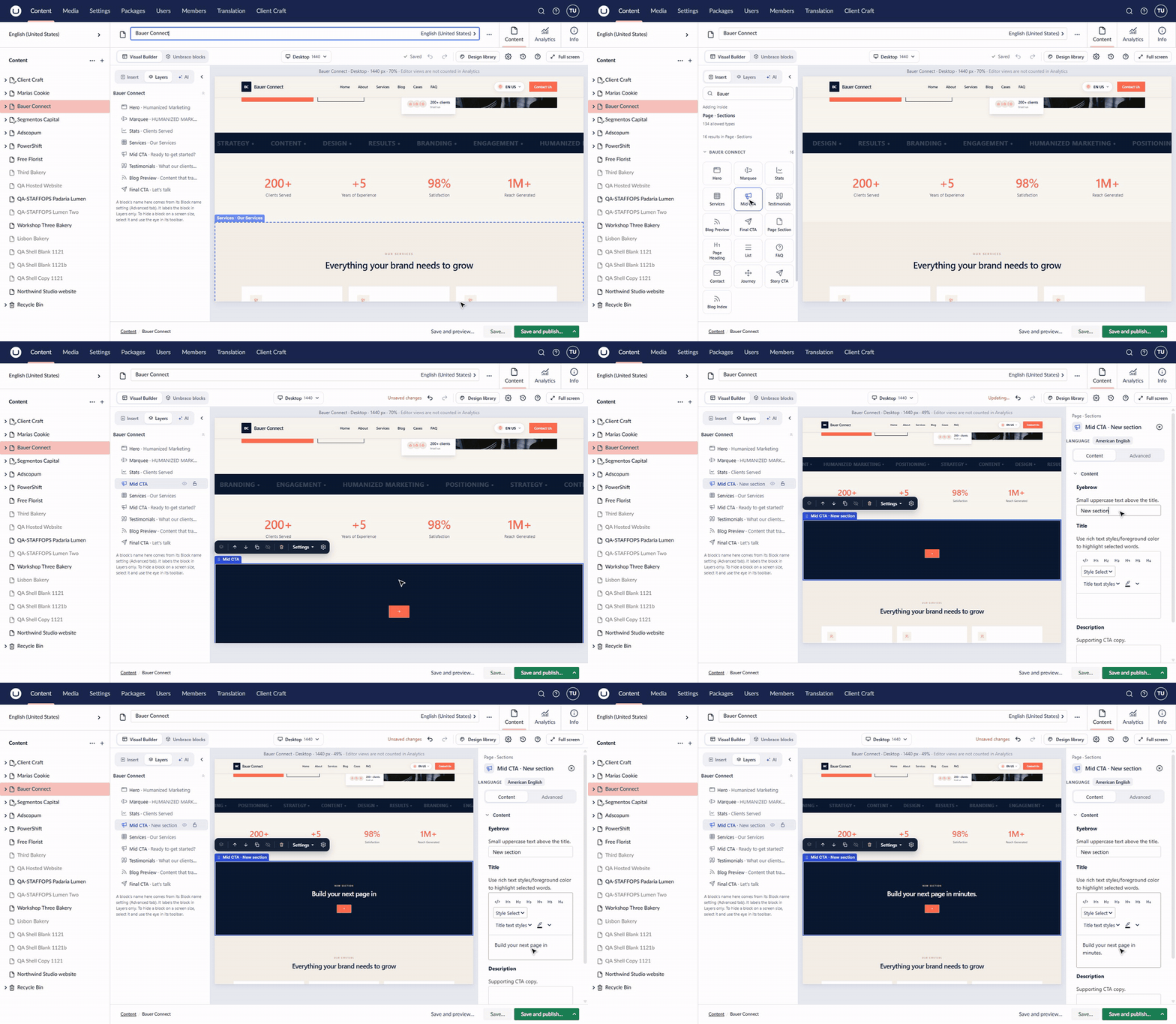
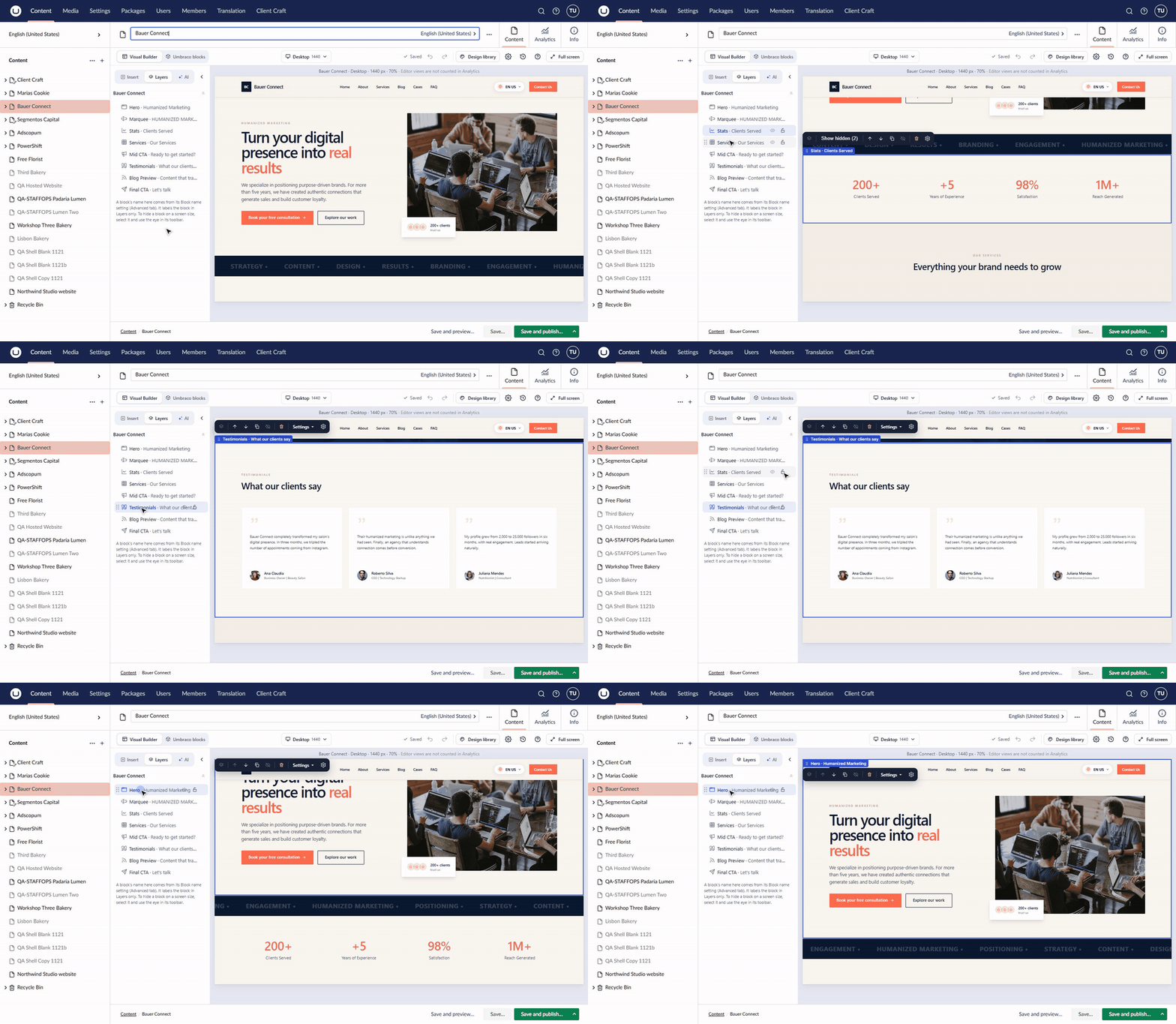
- Click to edit. Select any block on the canvas or in the Layers panel. Text, rich text, links and images are edited where they are; everything else opens in a drawer that follows your Umbraco tabs.
- Move things around. Drag blocks by their handle, insert new ones exactly where the blue line shows, duplicate, hide or delete. Undo and redo cover every step.
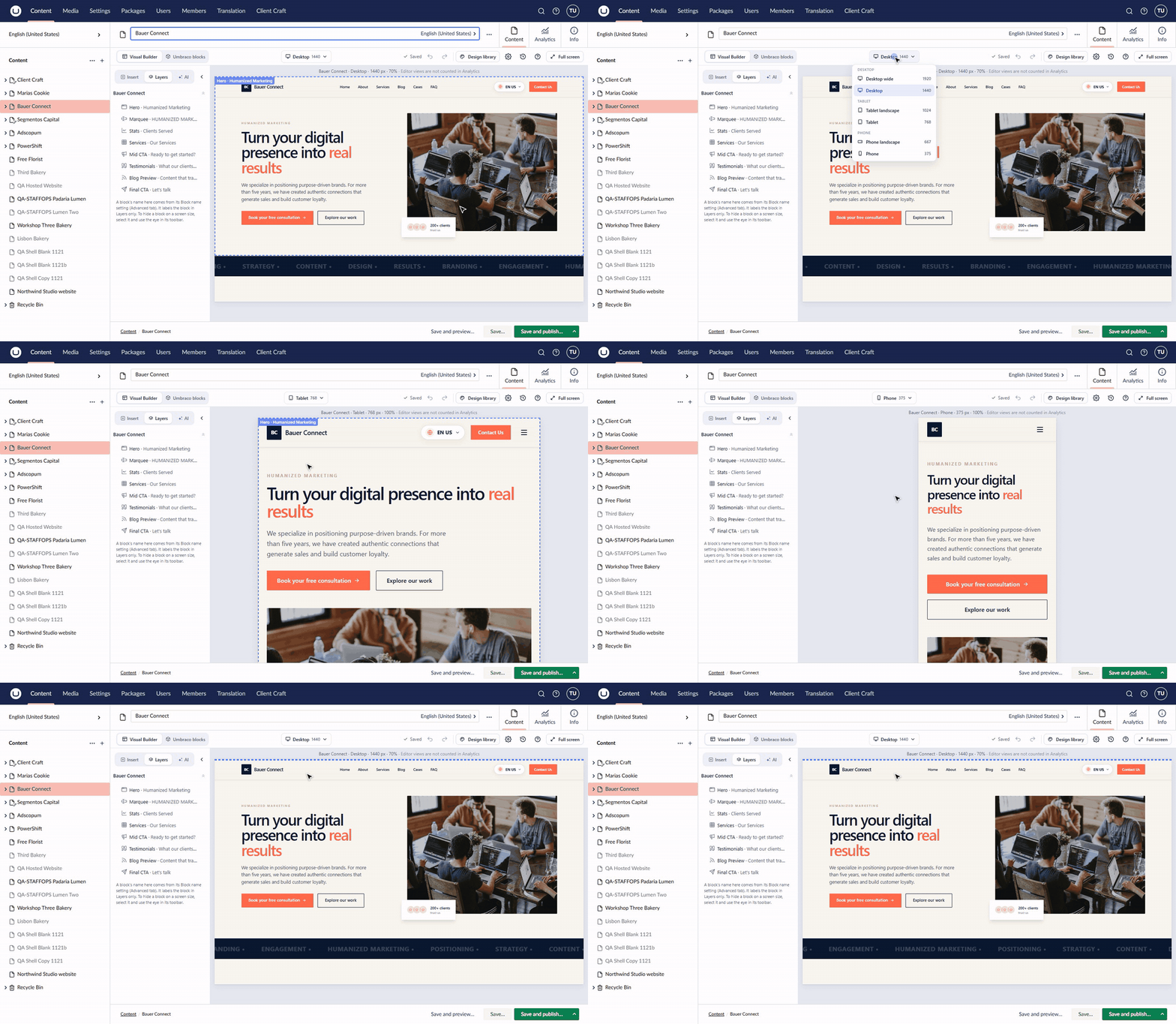
- Every screen size. Preview on Desktop (1440 and 1920), Tablet (portrait and landscape) and Phone (portrait and landscape), and style each size separately.
- Nothing is saved behind your back. Changes show instantly on the canvas, but nothing reaches the database until you press Save, and nothing reaches visitors until you publish. Umbraco's permissions, workflow and history still apply.
- Umbraco stays one click away. The "Umbraco blocks" switch takes you back to Umbraco's own Content view at any time.
Style without code
Blocks that opt in to the style contract get a Style tab: spacing, borders, radius, background and layout, set per screen size. A value set on a size shows a blue dot; smaller sizes inherit from larger ones until you change them.
One design library for the whole site
Colours, typography, spacing and radii live in one design library. Editors pick from it instead of typing hex codes, so a brand change is one edit, not a hundred. Draft changes preview in the editor and go live when you press Publish styles. The Visual Builder won't publish a library that deletes a colour pages still use.
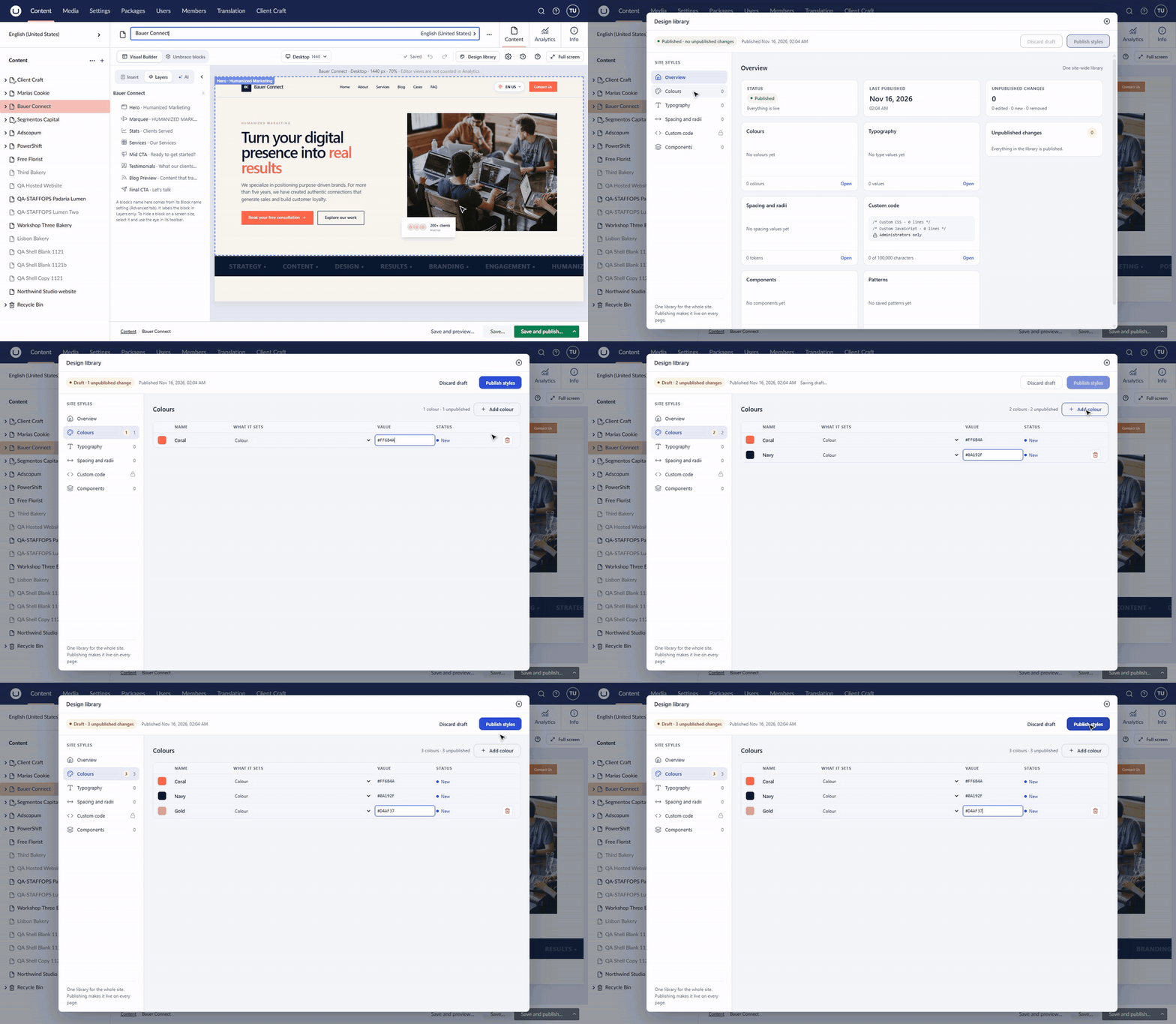
- Components: turn any block into a reusable component, edit it once and every page that uses it updates.
- Patterns: save a group of blocks as a pattern and drop it into any page.
- Custom code: administrators can add site-wide CSS and JavaScript (JavaScript never runs inside the editor).
Works with the site you already have
The Visual Builder reads your existing Block Grid and Block List data types, element types and Razor views. Open any page with a template and it just works: edit, insert, move and reorder with your own block types. Pages without blocks are edited through their own properties, marked on the page.
Two opt-ins, both in your code and both additive (content is never touched):
| Opt-in | Editors get | It adds |
|---|---|---|
.Styles(...) |
The Style tab with design-library values | A "Visual styles" field on each block's settings |
.CollectionBlocks(...) |
A Collection block that repeats a template for every record of a data source, and a Text block | Two block types in the grids you list |
Install
Requirements: .NET 10 and Umbraco 17.7.1 or later (below 18).
1. Add the package
dotnet add package ClientCraft.VisualBuilder.Umbraco --prerelease
Installing never takes over editing on its own. Switch the Visual Builder on in appsettings.json:
{
  "ClientCraft": {
    "VisualBuilder": { "ActiveByDefault": true }
  }
}
Run the site and open any page in the backoffice: the Visual Builder opens instead of the Content view. Use the Umbraco blocks switch to go back to Umbraco's view at any time.
2. Turn on styles (optional, recommended)
Add a composer to any project the site references:
using ClientCraft.VisualBuilder.Umbraco.Schema;
using Umbraco.Cms.Core.Composing;
using Umbraco.Cms.Core.DependencyInjection;

public sealed class VisualBuilderSetup : IComposer
{
    public void Compose(IUmbracoBuilder builder) => builder.AddVisualBuilderSite(site => site
        .Styles("Page Grid")             // your Block Grid data types, by name or key
        .CollectionBlocks("Page Grid")); // optional: Collection and Text blocks in these grids
}
On the next start the site adds only what is missing, then never again. With uSync, the new schema is exported like any other change and reaches your other environments through your normal deployment.
3. Wrap your block views
One wrapper applies the block's styles, anchor id and custom classes, so your views never implement margins or padding:
@addTagHelper *, ClientCraft.VisualBuilder.Umbraco
@inherits Umbraco.Cms.Web.Common.Views.UmbracoViewPage<BlockGridItem<MyBlock>>

<ccvb-block block="Model" tag="section">
    <h2>@Model.Content.Title</h2>
    @Model.Content.Text
</ccvb-block>
Already have an outer element? Put ccvb-style="Model" on it instead. Add <ccvb-assets /> once in your layout's
<head>. Blocks without styles render a plain element, so the wrapper is safe everywhere.
Settings such as toggles and colours change classes rather than text. To give one its own spot on the page, add
data-property="yourAlias" to the element it changes; editors then click that element to reach the setting.
Build with AI and live data (with Client Craft)
Install the ClientCraft package (which includes the Visual Builder) to connect the site to a Client Craft workspace:
- Build with AI: describe a change ("add a pricing section with three plans") and it appears on the canvas as an unsaved change you review, keep or undo. Nothing is saved or published until you say so. Uses your workspace's AI credits.
- Client Craft data sources: Collection blocks can list your plans, prices and products straight from Client Craft.
The Visual Builder works fully without Client Craft. These features are shown as locked until it is installed.
What it doesn't do
- It doesn't change your document types from the backoffice. Schema changes come only from your code (step 2).
- It doesn't save or publish on its own. Umbraco's Save and Publish are the only way changes leave the editor.
- It doesn't replace Umbraco. Every page can still be edited in Umbraco's own Content view.
Beta notes
- Tried on real sites running Umbraco 17.7 and 17.8, including sites built by other agencies with their own blocks.
- The backoffice editor is built for desktop screens.
- Known gaps we are working on: a publish summary dialog, editing the shared header and footer on the canvas, and version history inside the design library.
Feedback, bugs and ideas: open an issue on GitHub.
License
MIT © Client Craft
| Product | Versions Compatible and additional computed target framework versions. |
|---|---|
| .NET | net10.0 is compatible. net10.0-android was computed. net10.0-browser was computed. net10.0-ios was computed. net10.0-maccatalyst was computed. net10.0-macos was computed. net10.0-tvos was computed. net10.0-windows was computed. |
-
net10.0
- MessagePack (>= 3.1.9)
- Microsoft.OpenApi (>= 2.9.0)
- System.Security.Cryptography.Pkcs (>= 10.0.13)
- Umbraco.Cms.Api.Management (>= 17.7.1 && < 18.0.0)
- Umbraco.Cms.Web.Common (>= 17.7.1 && < 18.0.0)
- Umbraco.Cms.Web.Website (>= 17.7.1 && < 18.0.0)
- Umbraco.Community.BlockPreview (>= 5.5.1 && < 6.0.0)
NuGet packages (1)
Showing the top 1 NuGet packages that depend on ClientCraft.VisualBuilder.Umbraco:
| Package | Downloads |
|---|---|
|
ClientCraft
Install ClientCraft Core and Visual Builder together from pinned NuGet packages, with the bridge that turns on the Core-powered Visual Builder features (Build with AI, Client Craft data sources). |
GitHub repositories
This package is not used by any popular GitHub repositories.
| Version | Downloads | Last Updated |
|---|---|---|
| 0.1.0-beta.2 | 43 | 11/24/2026 |
| 0.1.0-beta.1 | 72 | 11/23/2026 |
| 0.1.0-alpha.16 | 94 | 11/8/2026 |
| 0.1.0-alpha.15 | 506 | 10/28/2026 |
| 0.1.0-alpha.14 | 88 | 10/26/2026 |
| 0.1.0-alpha.12 | 104 | 10/25/2026 |
| 0.1.0-alpha.10 | 169 | 10/24/2026 |
| 0.1.0-alpha.7 | 96 | 10/18/2026 |
Generic Umbraco Block Grid composition, responsive visual styles, reusable components, navigation, collections, native links and media, and browser-native interactions. Schema upgrades are explicit; existing content is not converted automatically.