AOTLogoSharp.Drawing
1.1.0
See the version list below for details.
dotnet add package AOTLogoSharp.Drawing --version 1.1.0
NuGet\Install-Package AOTLogoSharp.Drawing -Version 1.1.0
<PackageReference Include="AOTLogoSharp.Drawing" Version="1.1.0" />
<PackageVersion Include="AOTLogoSharp.Drawing" Version="1.1.0" />
<PackageReference Include="AOTLogoSharp.Drawing" />
paket add AOTLogoSharp.Drawing --version 1.1.0
#r "nuget: AOTLogoSharp.Drawing, 1.1.0"
#:package AOTLogoSharp.Drawing@1.1.0
#addin nuget:?package=AOTLogoSharp.Drawing&version=1.1.0
#tool nuget:?package=AOTLogoSharp.Drawing&version=1.1.0
AOTLogoSharp
Logo programming language for managed world.


What's Logo?
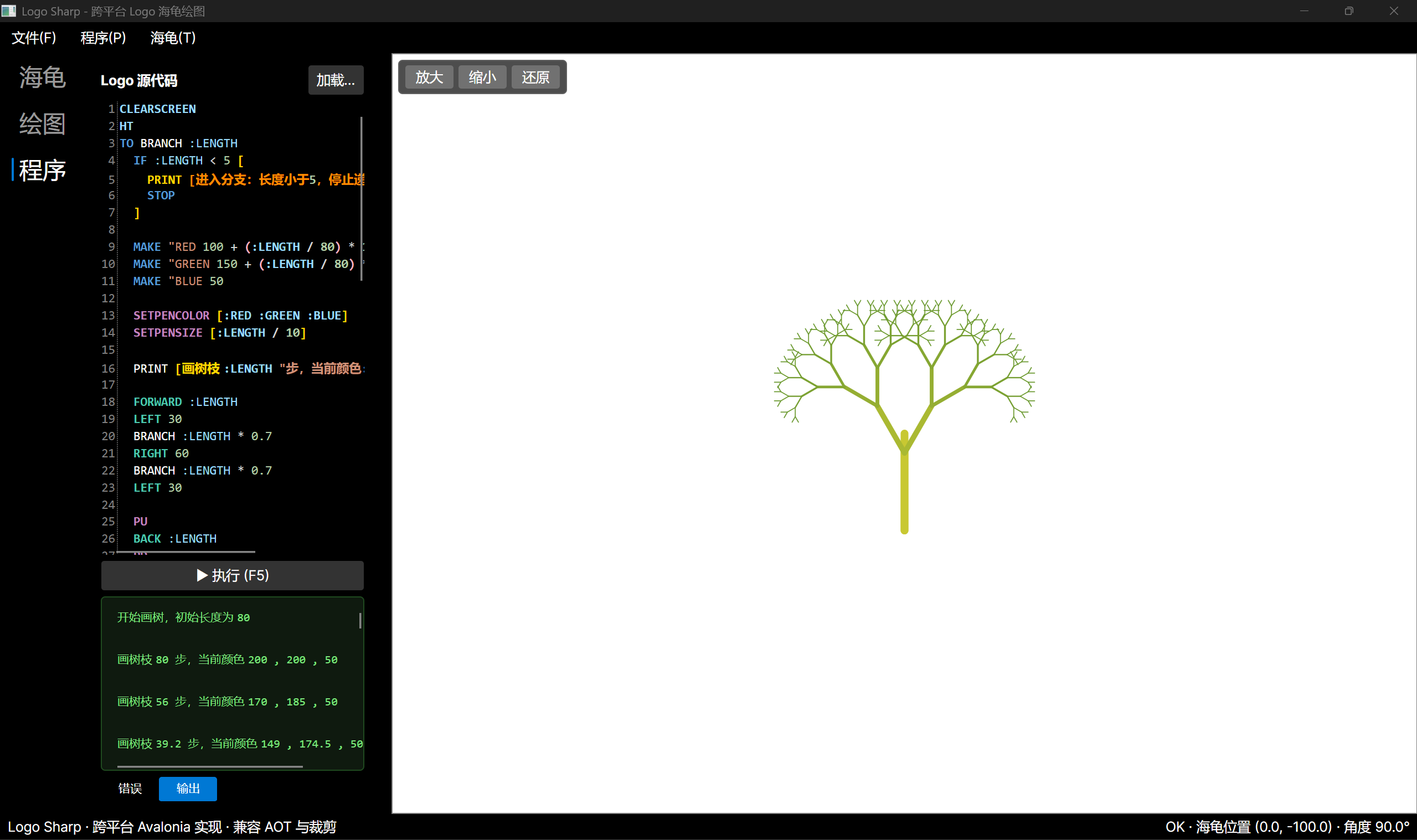
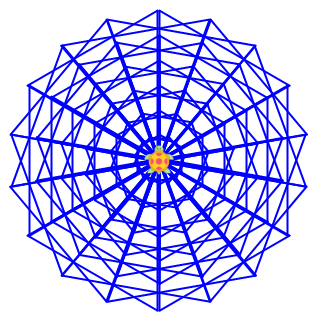
Logo is a programming language that controls a turtle on the screen to draw amazing pictures, like below:
More beautiful pictures drawn by AOTLogoSharp:
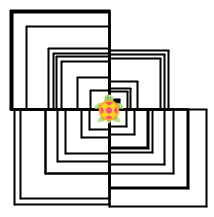
Box Picture
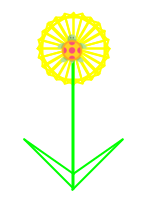
Beautiful Flower
Square Flower
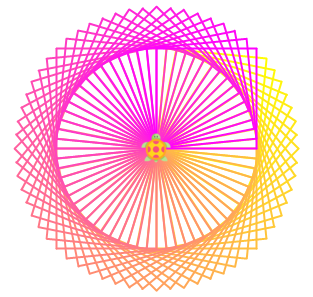
Web
Logo is widely used in computer education for kids, as it is simple and interesting. AOTLogoSharp is a .NET implementation of the Logo programming language which is based on a hand-written recursive descent parser.
Why AOTLogoSharp?
AOTLogoSharp is fully compatible with Native AOT and trimming. You can publish your application as a single native executable with minimal size and fast startup, without any JIT overhead. This makes it ideal for scenarios where deployment size and startup speed matter, such as command-line tools, educational apps, or embedded drawing pipelines.
The assembly names remain LogoSharp.dll and LogoSharp.Drawing.dll, and the namespace stays as LogoSharp / LogoSharp.Drawing, so existing code that references the original LogoSharp can migrate by simply swapping the NuGet package.
How to use AOTLogoSharp?
It is very simple and straightforward to use AOTLogoSharp in your .NET projects that is either based on .NET Framework 4.8, .NET Standard 2.0, or .NET 10. This means that you can make your AOTLogoSharp app working with .NET Core and thereby provides the cross-platform capability.
- Install AOTLogoSharp NuGet Package, for example:
Install-Package AOTLogoSharp -Version 1.0.0
- Write your first app:
using LogoSharp;

static void Main(string[] args)
{
    var logo = new Logo();
    logo.Forward += (s, e)
        => Console.WriteLine($"Forwarded {e.Steps} steps.");
    logo.Execute("FD 102");
}
- Run your app, you should get the message
Forwarded 102 steps.on your console
Basically, a Logo program code is provided to the Execute method of the logo instance, AOTLogoSharp will execute the code and emit the events. Therefore, event handlers that subscribe to a particular event will be hit once the execution of the code emits the subscribed event.
For more information about how to use AOTLogoSharp, please refer to the LogoSharp.Drawing project.
Using AOTLogoSharp.Drawing
AOTLogoSharp.Drawing provides a Turtle class that renders Logo programs to images. It is also available as the AOTLogoSharp.Drawing NuGet package.
- Install AOTLogoSharp.Drawing NuGet Package, for example:
Install-Package AOTLogoSharp.Drawing -Version 1.0.0
- Write your first app:
using LogoSharp;
using LogoSharp.Drawing;
using SkiaSharp;

static void Main(string[] args)
{
    var turtle = new Turtle();
    var logo = new Logo();

    // Wire Logo events to the Turtle
    logo.Forward += (s, e) => turtle.MoveForward(e.Steps);
    logo.TurnRight += (s, e) => turtle.Right(e.Angle);
    logo.PenDown += (s, e) => turtle.PenStatus = PenStatus.Down;
    logo.SetPenColor += (s, e) => turtle.SetPenColor(e.R, e.G, e.B);

    logo.Execute(@"
        REPEAT 4 [
            FD 100
            RT 90
        ]
    ");

    turtle.Save("output.png");
}
The Turtle class exposes the following APIs:
SetCanvasSize(int width, int height)- set the canvas sizeShowTurtle()/HideTurtle()- toggle turtle visibilitySave(string fileName)- save the rendered image to a fileGetLineSegments()- get the list of drawn line segments for custom renderingGetTurtleState()- get the current turtle position, angle, and visibilityDelayMilliseconds- control the delay between drawing steps
Key Features
AOTLogoSharp provides the following commands and features:
- Basic Pen Commands
- PENDOWN/PD
- PENUP/PU
- SETPENCOLOR/SETPC/PC
- SETPENSIZE
- PENERASE/PE
- PENNORMAL/PN
- Basic Drawing Commands
- LEFT/LT
- RIGHT/RT
- FORWARD/FD
- BACKWARD/BK/BACK
- DELAY
- DRAW/CLS/CLEARSCR/CLEARSCREEN/CS
- SETH/SETHEADING
- Turtle Control Commands
- HOME
- SHOWTURTLE/ST
- HIDETURTLE/HT
- Flow Control Commands
- REPEAT and RepCount
- IF / IFELSE
- WHILE
- Language Features
- Variables (The MAKE command)
- Expressions
- Arithmetic:
+,-,*,/,^ - Comparison:
==,<>,<,>,<=,>= - Logic: AND, OR, NOT
- Arithmetic:
- Procedures
- Function Calls
- SQRT
- RANDOM
- SIN / COS / TAN (degrees)
- ASIN / ACOS / ATAN (degrees)
- ABS
- POWER
- EXP
- LOG (natural) / LOG10
- Inline Comments
- Built-in Constants
- PI
- E
Limitations
- Code editing doesn't support multi-line format
- Logo commands other than the ones listed above are not supported. More will be added in future
- Function calls need to be surrounded by the braces, for example, {SQRT 2} or {RANDOM 100}
License
MIT
| Product | Versions Compatible and additional computed target framework versions. |
|---|---|
| .NET | net5.0 was computed. net5.0-windows was computed. net6.0 was computed. net6.0-android was computed. net6.0-ios was computed. net6.0-maccatalyst was computed. net6.0-macos was computed. net6.0-tvos was computed. net6.0-windows was computed. net7.0 was computed. net7.0-android was computed. net7.0-ios was computed. net7.0-maccatalyst was computed. net7.0-macos was computed. net7.0-tvos was computed. net7.0-windows was computed. net8.0 was computed. net8.0-android was computed. net8.0-browser was computed. net8.0-ios was computed. net8.0-maccatalyst was computed. net8.0-macos was computed. net8.0-tvos was computed. net8.0-windows was computed. net9.0 was computed. net9.0-android was computed. net9.0-browser was computed. net9.0-ios was computed. net9.0-maccatalyst was computed. net9.0-macos was computed. net9.0-tvos was computed. net9.0-windows was computed. net10.0 is compatible. net10.0-android was computed. net10.0-browser was computed. net10.0-ios was computed. net10.0-maccatalyst was computed. net10.0-macos was computed. net10.0-tvos was computed. net10.0-windows was computed. |
| .NET Core | netcoreapp2.0 was computed. netcoreapp2.1 was computed. netcoreapp2.2 was computed. netcoreapp3.0 was computed. netcoreapp3.1 was computed. |
| .NET Standard | netstandard2.0 is compatible. netstandard2.1 was computed. |
| .NET Framework | net461 was computed. net462 was computed. net463 was computed. net47 was computed. net471 was computed. net472 was computed. net48 is compatible. net481 was computed. |
| MonoAndroid | monoandroid was computed. |
| MonoMac | monomac was computed. |
| MonoTouch | monotouch was computed. |
| Tizen | tizen40 was computed. tizen60 was computed. |
| Xamarin.iOS | xamarinios was computed. |
| Xamarin.Mac | xamarinmac was computed. |
| Xamarin.TVOS | xamarintvos was computed. |
| Xamarin.WatchOS | xamarinwatchos was computed. |
-
.NETFramework 4.8
- AOTLogoSharp (>= 1.1.0)
- NetTopologySuite (>= 2.6.0)
- NetTopologySuite.Features (>= 2.2.0)
- SkiaSharp (>= 3.119.4)
- SkiaSharp.NativeAssets.Linux (>= 3.119.4)
-
.NETStandard 2.0
- AOTLogoSharp (>= 1.1.0)
- NetTopologySuite (>= 2.6.0)
- NetTopologySuite.Features (>= 2.2.0)
- SkiaSharp (>= 3.119.4)
- SkiaSharp.NativeAssets.Linux (>= 3.119.4)
-
net10.0
- AOTLogoSharp (>= 1.1.0)
- NetTopologySuite (>= 2.6.0)
- NetTopologySuite.Features (>= 2.2.0)
- SkiaSharp (>= 3.119.4)
- SkiaSharp.NativeAssets.Linux (>= 3.119.4)
NuGet packages
This package is not used by any NuGet packages.
GitHub repositories
This package is not used by any popular GitHub repositories.