SplatDev.Umbraco.Plugins.Yaml2Schema 1.0.35

dotnet add package SplatDev.Umbraco.Plugins.Yaml2Schema --version 1.0.35
                    
NuGet\Install-Package SplatDev.Umbraco.Plugins.Yaml2Schema -Version 1.0.35
                    
This command is intended to be used within the Package Manager Console in Visual Studio, as it uses the NuGet module's version of Install-Package.
<PackageReference Include="SplatDev.Umbraco.Plugins.Yaml2Schema" Version="1.0.35" />
                    
For projects that support PackageReference, copy this XML node into the project file to reference the package.
<PackageVersion Include="SplatDev.Umbraco.Plugins.Yaml2Schema" Version="1.0.35" />
                    
Directory.Packages.props
<PackageReference Include="SplatDev.Umbraco.Plugins.Yaml2Schema" />
                    
Project file
For projects that support Central Package Management (CPM), copy this XML node into the solution Directory.Packages.props file to version the package.
paket add SplatDev.Umbraco.Plugins.Yaml2Schema --version 1.0.35
                    
#r "nuget: SplatDev.Umbraco.Plugins.Yaml2Schema, 1.0.35"
                    
#r directive can be used in F# Interactive and Polyglot Notebooks. Copy this into the interactive tool or source code of the script to reference the package.
#:package SplatDev.Umbraco.Plugins.Yaml2Schema@1.0.35
                    
#:package directive can be used in C# file-based apps starting in .NET 10 preview 4. Copy this into a .cs file before any lines of code to reference the package.
#addin nuget:?package=SplatDev.Umbraco.Plugins.Yaml2Schema&version=1.0.35
                    
Install as a Cake Addin
#tool nuget:?package=SplatDev.Umbraco.Plugins.Yaml2Schema&version=1.0.35
                    
Install as a Cake Tool

SplatDev.Umbraco.Plugins.Yaml2Schema

NuGet License: MIT

A declarative, Infrastructure-as-Code style plugin for Umbraco 17 that bootstraps your entire Umbraco site structure from a single YAML file on application startup.

Define DataTypes, DocumentTypes, Media Types, Templates, Content, Media, Languages, Dictionary Items, Members, and Users as code. Version-control it. Reproduce it anywhere.


Installation

dotnet add package SplatDev.Umbraco.Plugins.Yaml2Schema

Or via the NuGet Package Manager:

Install-Package SplatDev.Umbraco.Plugins.Yaml2Schema

No further registration is required — the plugin self-registers via an Umbraco composer on startup.


Quick Start

  1. Install the package
  2. Create config/umbraco.yml in your project root
  3. Run your Umbraco application

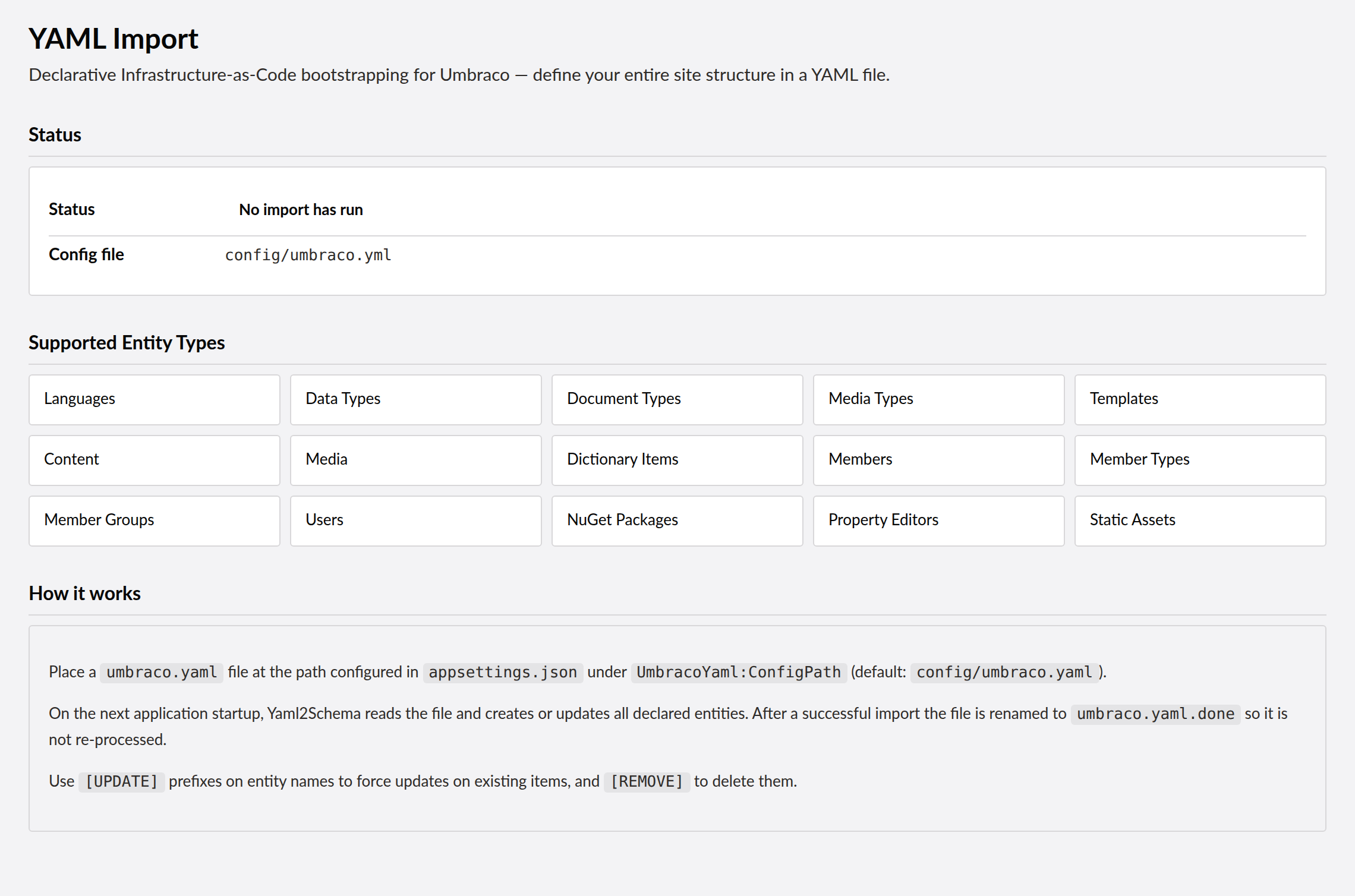
All structures defined in the YAML file are created automatically on startup. Existing items (matched by alias/name/email) are skipped — restarts are safe.

One-shot import: After a successful import the YAML file is automatically renamed to *.done (e.g. config/umbraco.yml.done). This prevents the file from being re-processed on the next startup. To re-run an import, rename the file back to *.yml (or *.yaml).


Configuration

Override the default config file path in appsettings.json:

{
  "UmbracoYaml": {
    "ConfigPath": "config/umbraco.yml"
  }
}

The path is relative to the application content root. Absolute paths are also accepted.

After a successful import the file is renamed to *.done in the same directory. On the next startup the plugin looks for the original path; because the file has been renamed it will not be processed again. Rename it back to re-run the import.


YAML Schema

All top-level sections are optional. Processing order:

languagesdataTypesdocumentTypesmediaTypesscriptsstylesheetstemplatesmediacontentdictionaryItemsmembersusers

Media is seeded before Content so that Umbraco.MediaPicker3 property values that reference media by name resolve correctly.

Flags (remove / update)

Every item in every section supports two optional control flags:

Flag Behaviour
remove: true Delete the entity on startup. Logs a warning if not found.
update: true Upsert: update if found, create if not found.

Neither flag is set by default; omitting both means create if not exists, skip otherwise.

Per-entity UPDATE semantics:

Entity What gets updated
dataTypes DatabaseType re-derived from the editor; config re-applied. Use this to correct stale entries after upgrading the plugin.
documentTypes / mediaTypes Additive merge — top-level fields replaced; new tabs/properties added; existing properties never removed.
templates content field regenerated (or replaced with explicit Razor).
content Property values, sort order, and published state updated. Missing template backfilled from document type default.
media Properties updated. If a url field is present the file is re-downloaded and attached.
scripts / stylesheets File overwritten in wwwroot.
languages isDefault and isMandatory updated.
dictionaryItems Translation values upserted per language.
members Name, approval status, and properties updated.
users Name, username, and group assignments updated.

dataTypes

Define property editors. The config map is applied directly to the DataType — supports Block List, Image Cropper, and any editor accepting a key/value configuration.

dataTypes:
  - alias: pageTitle
    name: Page Title
    editorUiAlias: Umbraco.TextBox
    config:
      maxLength: 100

  - alias: status
    name: Status
    editorUiAlias: Umbraco.DropDown.Flexible
    config:
      items:
        - Draft
        - Published
        - Archived

  - alias: myBlockList
    name: My Block List
    editorUiAlias: Umbraco.BlockList
    valueType: NTEXT          # required — forces Ntext storage so block JSON is saved correctly
    config:
      blocks:
        - contentElementTypeAlias: myElement   # resolved to contentElementTypeKey GUID automatically

  # [UPDATE] — re-applies config and DatabaseType on every startup
  - alias: richText
    name: Rich Text
    editorUiAlias: Umbraco.RichText
    update: true

  # [REMOVE] — deletes this DataType
  - alias: legacyEditor
    name: Legacy Editor
    editorUiAlias: Umbraco.TextBox
    remove: true
Field Required Default Description
alias Yes Unique identifier
name Yes Display name in the back-office
editorUiAlias Yes Registered property editor alias
valueType No derived from editor Override storage type: NTEXT, NVARCHAR, INT, DECIMAL, DATE
config No Editor-specific configuration (key-value map)

Umbraco.DropDown.Flexible / Umbraco.CheckBoxList: config.items must be a plain YAML string list — the plugin converts it to the List<string> format that ValueListConfiguration expects in Umbraco 17.

Umbraco.BlockList / Umbraco.BlockGrid: Use contentElementTypeAlias (not contentElementTypeKey) in the blocks config — the plugin resolves it to the element type's GUID automatically after DocumentTypes are created. Always set valueType: NTEXT so the block JSON is stored in the correct Ntext database column (see Block List recipe below).

Built-in data types: You can reference Umbraco's built-in data types directly by their back-office name (e.g. dataType: "Richtext Editor") without defining them in the dataTypes section. The plugin looks up the data type by name at assignment time.

UPDATE behaviour: update: true re-derives the DatabaseType from the editor and re-applies the config. Add it to any DataType whose database storage type or config may be stale (e.g. after a plugin upgrade).


documentTypes

Define content blueprints with tabbed property groups.

documentTypes:
  - alias: page
    name: Page
    icon: icon-document
    allowAsRoot: true
    allowedChildTypes:
      - page
      - article
    tabs:
      - name: Content
        properties:
          - alias: title
            name: Title
            dataType: pageTitle
            required: true
            description: The main heading shown on the page
          - alias: body
            name: Body
            dataType: "Richtext Editor"   # built-in data type referenced by name
Field Required Default Description
alias Yes Unique identifier
name Yes Display name
icon No icon-document Umbraco icon CSS class
isElement No false Mark as an element type (required for Block List / Block Grid blocks)
allowAsRoot No true Allow creation at the content tree root
allowedChildTypes No [] DocumentType aliases permitted as children
tabs No [] Property tabs, each with name and properties

Property fields:

Field Required Default Description
alias Yes Unique within the DocumentType
name Yes Editor-facing label
dataType Yes Alias of a DataType defined in dataTypes, or the built-in data type name
required No false Mandatory field for editors
description No Help text shown below the field

UPDATE behaviour: Additive merge — existing properties and tabs are never removed. New tabs and new properties are added. Top-level fields (name, icon, allowAsRoot) are replaced.


mediaTypes

Define media blueprints (mirrors documentTypes structure).

mediaTypes:
  - alias: customImage
    name: Custom Image
    icon: icon-picture
    allowedAtRoot: false
    tabs:
      - name: Media
        properties:
          - alias: umbracoFile
            name: File
            dataType: Upload File

templates

Register Razor view templates. A default @inherits UmbracoViewPage scaffold is generated automatically. Provide an explicit content: field to use your own Razor markup instead.

templates:
  - alias: master
    name: Master
    masterTemplate: null
    stylesheets:
      - css/site.css
    scripts:
      - js/app.js

  - alias: page
    name: Page
    masterTemplate: master
    content: |
      @inherits Umbraco.Cms.Web.Common.Views.UmbracoViewPage
      @{
          Layout = "master";
      }
      <h1>@Model.Value("title")</h1>
      @Html.Raw(Model.Value("body"))
Field Required Description
alias Yes Unique identifier
name Yes Display name
masterTemplate No Alias of the parent layout template, or null
content No Explicit Razor markup; overrides the auto-generated scaffold
stylesheets No List of wwwroot-relative CSS paths to inject into <head>
scripts No List of wwwroot-relative JS paths to inject before </body>

scripts / stylesheets

Write JavaScript and CSS files to wwwroot on startup.

scripts:
  - alias: siteJs
    name: Site JavaScript
    path: js/site.js
    content: |
      console.log('loaded');
  - alias: siteJs
    path: js/site.js
    update: true          # overwrite on every startup
    content: |
      console.log('updated');
  - alias: legacyJs
    path: js/legacy.js
    remove: true          # delete from wwwroot

stylesheets:
  - alias: siteStyles
    name: Site Styles
    path: css/site.css
    content: |
      body { margin: 0; }
Field Required Description
alias Yes Unique identifier (deduplication key)
path Yes Output path relative to wwwroot
content No File content to write

media

Create media nodes. Optionally download a file from a URL and attach it. Media is seeded before Content so that image picker seed values that reference media by name resolve correctly.

media:
  - alias: siteBanner
    name: Site Banner
    mediaType: Image
    url: https://example.com/banner.jpg
  - alias: partnerLogos
    name: Partner Logos
    mediaType: Folder
    children:
      - alias: logoA
        name: Logo Partner A
        mediaType: Image
        folder: "Images/Partners"   # placed inside this subfolder; created automatically
        url: https://example.com/logo-a.png
  - alias: docs
    name: Documents
    mediaType: Folder
    children:
      - alias: brochure
        name: Brochure
        mediaType: File
        url: https://example.com/brochure.pdf
Field Required Description
alias Yes Unique identifier
name Yes Name in the media tree
mediaType Yes Media Type alias (e.g. Image, File, Folder)
folder No Subfolder path (e.g. "Images" or "Images/Partners"); created automatically if absent
url No URL to download and attach as the file property
properties No Additional property alias → value pairs
children No Nested child media nodes

Image storage: When mediaType is Image and a url is provided, the downloaded file is stored using the ImageCropper JSON format ({"src":"...","focalPoint":{"left":0.5,"top":0.5},"crops":[]}). Other media types (File, Video) store a plain file path.

update: true re-downloads: When a media item is updated via update: true, if a url is present the file is downloaded again and re-attached. Useful when refreshing placeholder images.

Do not use update: true for initial seeding: Items with update: true are skipped if they don't exist yet. Omit the flag for initial media creation — the create path is already idempotent (skips existing items).


content

Seed content nodes, nested to any depth.

content:
  - alias: home
    name: Home
    documentType: page
    isPublished: true
    sortOrder: 0
    properties:
      title: "Welcome"
      body: "<p>Hello world.</p>"
      heroImage: "Site Banner"      # Umbraco.MediaPicker3 — resolved by media name
    children:
      - alias: about
        name: About Us
        documentType: page
        isPublished: true
        properties:
          title: "About Us"
Field Required Default Description
alias Yes Unique node identifier
name Yes Name shown in content tree
documentType Yes DocumentType alias
isPublished No false Publish on creation
sortOrder No 0 Position among siblings
properties No {} Property alias → value pairs (see Property Value Coercion)
children No [] Nested child content nodes

Template assignment: The document type's default template is explicitly set on every new content node. Content created without a template (e.g. from an older plugin version) will have it backfilled on the next [UPDATE] pass.


Property Value Coercion

The plugin automatically converts YAML seed values to the storage format each property editor expects. The following conversions are applied:

Umbraco.MultiUrlPicker — plain URL string

A plain string is wrapped in the JSON array format the editor stores:

properties:
  pageLink: "/about"
  # stored as: [{"name":"","url":"/about","target":"","udi":null,"queryString":""}]

Umbraco.MultiUrlPicker — mapping with title

Supply a YAML mapping to set the link's display name alongside the URL:

properties:
  pageLink:
    url: "/about"
    title: "Learn more about us"
    target: "_blank"   # optional
  # stored as: [{"name":"Learn more about us","url":"/about","target":"_blank","udi":null,"queryString":""}]

Single URL Picker: use Umbraco.MultiUrlPicker with config.maxNumberOfItems: 1 to restrict the picker to one URL entry.

Umbraco.MultipleTextstring — list of strings

Supply a YAML sequence; items are joined with \n as the editor stores:

properties:
  tags:
    - "First item"
    - "Second item"
    - "Third item"

Umbraco.DropDown.Flexible — single value

Supply a plain string matching one of the configured items. The plugin wraps it in the JSON array the editor stores:

properties:
  status: "Published"
  # stored as: ["Published"]

Umbraco.MediaPicker3 — media name

Supply the name of an existing media item. The plugin looks it up by name (case-insensitive) and generates the correct picker JSON reference:

properties:
  heroImage: "Site Banner"
  # stored as: [{"key":"<guid>","mediaKey":"<media-item-guid>","crops":[],"focalPoint":null}]

Media must exist before content is seeded. Because the plugin seeds media before content, this works correctly in a single YAML file as long as the media item is defined in the media: section.

Umbraco.TrueFalse — boolean string

"true" / "false" strings are converted to 1 / 0 for Integer storage:

properties:
  isActive: "true"   # stored as 1

Block List — list of mappings with $type

Each list item must have a $type key containing the element type alias. All other keys become property values on the block:

properties:
  cards:
    - $type: cardElement
      title: "First Card"
      text: "Description."
    - $type: cardElement
      title: "Second Card"
      text: "Another description."

Single Block — mapping with $type

A single mapping (not a list) with a $type key:

properties:
  hero:
    $type: heroElement
    title: "Welcome"
    subtitle: "Platform overview"

Common Editor Aliases

Use the server-side schema alias in editorUiAlias. The plugin automatically resolves the correct Umbraco 17 backoffice UI component alias (Umb.PropertyEditorUi.*) so the property editor renders correctly.

editorUiAlias Backoffice UI alias resolved Type
Umbraco.TextBox Umb.PropertyEditorUi.TextBox Single-line text
Umbraco.TextArea Umb.PropertyEditorUi.TextArea Multi-line text
Umbraco.RichText Umb.PropertyEditorUi.Tiptap Rich HTML editor (Tiptap)
Umbraco.MarkdownEditor Umb.PropertyEditorUi.MarkdownEditor Markdown
Umbraco.Integer Umb.PropertyEditorUi.Integer Whole number
Umbraco.Decimal Umb.PropertyEditorUi.Decimal Decimal number
Umbraco.TrueFalse Umb.PropertyEditorUi.Toggle Boolean toggle
Umbraco.DateTime Umb.PropertyEditorUi.DatePicker Date and time
Umbraco.MediaPicker3 Umb.PropertyEditorUi.MediaPicker Media picker — seed with media item name
Umbraco.ContentPicker Umb.PropertyEditorUi.DocumentPicker Content picker
Umbraco.MultiNodeTreePicker Umb.PropertyEditorUi.ContentPicker Multi-node tree picker
Umbraco.MultiUrlPicker Umb.PropertyEditorUi.MultiUrlPicker Multi-URL picker — seed with plain URL or {url, title} mapping
Umbraco.Tags Umb.PropertyEditorUi.Tags Tag input
Umbraco.DropDown.Flexible Umb.PropertyEditorUi.Dropdown Dropdown — seed with plain string; auto-wrapped to ["value"]
Umbraco.CheckBoxList Umb.PropertyEditorUi.CheckBoxList Checkbox list (use config.items string list)
Umbraco.RadioButtonList Umb.PropertyEditorUi.RadioButtonList Radio button list
Umbraco.BlockList Umb.PropertyEditorUi.BlockList Block List editor — seed with $type list
Umbraco.BlockGrid Umb.PropertyEditorUi.BlockGrid Block Grid editor
Umbraco.ImageCropper Umb.PropertyEditorUi.ImageCropper Image with crop config
Umbraco.EmailAddress Umb.PropertyEditorUi.EmailAddress Email address
Umbraco.Label Umb.PropertyEditorUi.Label Read-only label
Umbraco.UploadField Umb.PropertyEditorUi.UploadField File upload
Umbraco.ColorPicker Umb.PropertyEditorUi.ColorPicker Color picker
Umbraco.MultipleTextstring Umb.PropertyEditorUi.MultipleTextString Repeatable text strings — seed with YAML sequence
Umbraco.SingleBlock Umb.PropertyEditorUi.BlockSingle Single block — seed with $type mapping

Single Block Recipe

Umbraco.SingleBlock stores exactly one block (not a list). Define it the same way as Block List but with a flat config:

dataTypes:
  - alias: heroBlock
    name: Hero Block
    editorUiAlias: Umbraco.SingleBlock
    valueType: NTEXT
    config:
      contentElementTypeAlias: heroElement   # resolved to GUID automatically

Seed a Single Block with a plain YAML mapping (not a list):

properties:
  heroBlock:
    $type: heroElement
    title: "Welcome"
    subtitle: "Platform overview"

Block List Recipe

To use Umbraco.BlockList end-to-end — including seeding content — follow this pattern:

1. Define the element type with isElement: true:

documentTypes:
  - alias: cardElement
    name: Card
    icon: icon-item
    isElement: true
    tabs:
      - name: Content
        properties:
          - alias: title
            name: Title
            dataType: textString
          - alias: text
            name: Text
            dataType: textArea

2. Define the Block List data type with valueType: NTEXT and contentElementTypeAlias:

dataTypes:
  - alias: cardBlockList
    name: Card Block List
    editorUiAlias: Umbraco.BlockList
    valueType: NTEXT
    config:
      blocks:
        - contentElementTypeAlias: cardElement

The plugin resolves contentElementTypeAlias → GUID after all DocumentTypes are created. valueType: NTEXT is required so the block JSON is persisted correctly.

3. Seed content using $type:

content:
  - alias: home
    name: Home
    documentType: homePage
    isPublished: true
    properties:
      cards:
        - $type: cardElement
          title: "First Card"
          text: "Description for the first card."
        - $type: cardElement
          title: "Second Card"
          text: "Description for the second card."

Each list item's $type value is the element type alias. All other keys map to property aliases on that element type.


Architecture

Component Responsibility
YamlStartupComposer Registers all services and wires the startup handler
YamlInitializationHandler Fires on UmbracoApplicationStarted; orchestrates all creators
YamlParser Deserializes the YAML file using YamlDotNet
DataTypeCreator Creates/updates/removes DataTypes
DocumentTypeCreator Creates/updates/removes DocumentTypes and their tabbed properties
MediaTypeCreator Creates/updates/removes Media Types
TemplateCreator Creates/updates/removes Razor templates
ContentCreator Recursively creates/updates/removes content nodes; coerces property values
MediaCreator Creates/updates/removes media nodes; downloads and attaches files from URLs
StaticAssetCreator Writes/deletes JS and CSS files under wwwroot
LanguageCreator Creates/updates/removes Umbraco languages
DictionaryCreator Creates/updates/removes dictionary items with translations
MemberCreator Creates/updates/removes member accounts
UserCreator Creates/updates/removes backoffice users

Behaviour

  • Idempotent: Items already present are skipped — safe across restarts
  • One-shot: After a successful import the YAML file is renamed to *.done so it is not re-processed on the next startup; rename it back to re-run
  • Ordered: Languages → DataTypes → DocumentTypes → MediaTypes → Scripts/Stylesheets → Templates → MediaContent → DictionaryItems → Members → Users
  • Media before Content: Ensures Umbraco.MediaPicker3 name lookups resolve correctly during content seeding
  • Template assignment: New content nodes receive the document type's default template explicitly; missing templates are backfilled on [UPDATE]
  • Logged: All activity and warnings go to the standard Umbraco log
  • Forgiving: Missing references log a warning and continue without throwing
  • Additive updates: DocumentType/MediaType [UPDATE] never removes existing properties — only adds new ones

Running Tests

dotnet test

License

MIT © 2026 SplatDev

Product Compatible and additional computed target framework versions.
.NET net10.0 is compatible.  net10.0-android was computed.  net10.0-browser was computed.  net10.0-ios was computed.  net10.0-maccatalyst was computed.  net10.0-macos was computed.  net10.0-tvos was computed.  net10.0-windows was computed. 
Compatible target framework(s)
Included target framework(s) (in package)
Learn more about Target Frameworks and .NET Standard.

NuGet packages

This package is not used by any NuGet packages.

GitHub repositories

This package is not used by any popular GitHub repositories.

Version Downloads Last Updated
1.0.35 119 4/7/2026
Loading failed

v1.0.35: After a successful import the YAML file is renamed to *.done so it is not re-processed on the next startup.